
Your first chat with an AI companion begins with picking a character, and that step is not always clear.
You need to know how to start, how far a roleplay can go, and what it costs. This article explains each step on the official site, including how the AI remembers past sessions and how messages and credits work.
Starting your first conversation for free
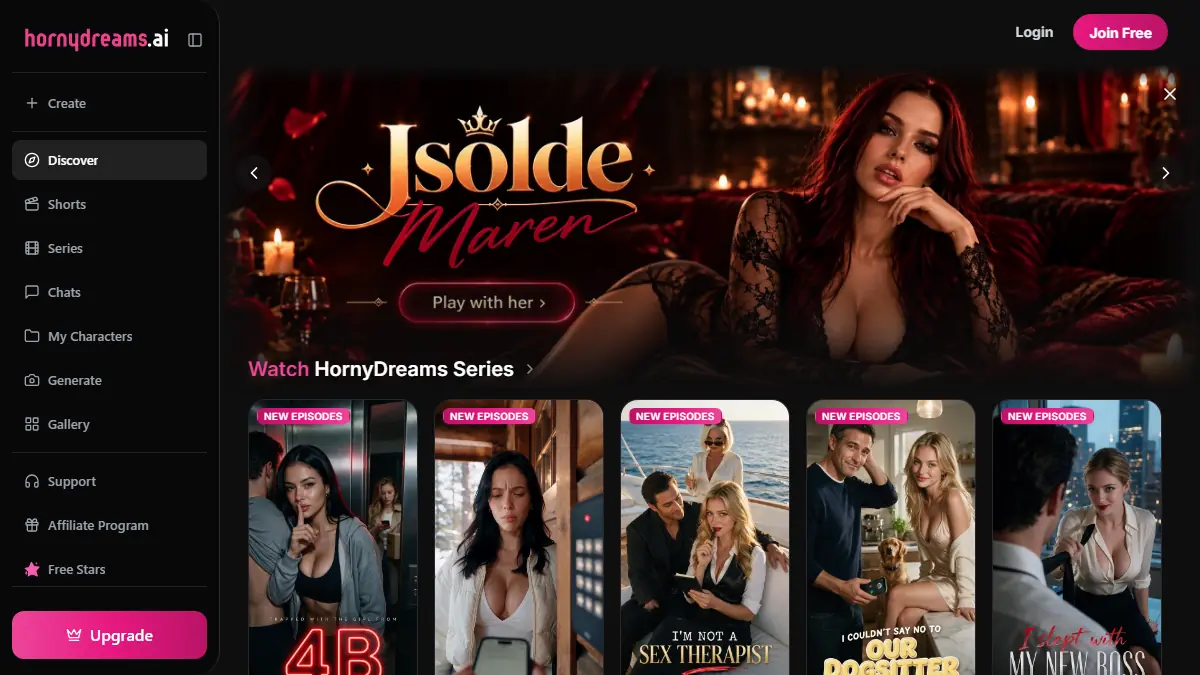
Signing up is free, and you can browse and chat on the free tier. Open Discover to see community characters.
Use the filters for style, vibe and tags. Realistic and anime are two style choices. Then open a character card and read its bio before entering the chat, so you know who you’re talking to.
Here’s how to start your first chat:
- Try one of the 16 official characters on the homepage, such as Adele Lang, Aiko Neonkitsune, Isolde Maren or Sienna Wilde.
- To make your own, choose ethnicity, body type, hair, eyes, voice, hobbies, kinks and personality.
- Open the chat with a short mood description, like "tired after work, want to talk slowly." The character then has a starting point.
Flirty and adult roleplay, for users 18+ only
Chats can be flirty or mature, and you decide how far they go. Tell the companion what kind of scene you want, and it plays that scene and stays in character until you change direction.
Its memory carries story details and preferences from one session to the next, so a scene you started last week picks up where it stopped. If you want a slower build or another tone, say so in your next message.
You must be 18 or older, or the age of majority where you live if that is higher. The service contains adult material.
Some things are off limits for everyone: content involving minors, non-consensual or illegal content, and images of real people without their consent. Never try to bypass the safety filters.
Your companion is a fictional AI character, not a real person, so its replies can be unexpected or wrong. If it goes off track, tell it in your next message.
How your AI remembers what you share
Your companion keeps track of what you share. Tell it you like a certain kind of banter, and it remembers that the next time you chat. Storylines and character details carry over across sessions too.
So when you come back, a roleplay picks up where you left off. You don’t need to repeat the setup or the backstory. Just open the chat and say what happens next.
Your chats, generated media and saved characters are tied to your account. To remove them, delete your account from the settings menu.
Your personal data stays while the account is active, and for a limited time after you close it.
After that, it is removed or anonymised. Protect your account with a strong, unique password, since anyone who logs in can see your chats.
Messages, credits and subscription plans
The free tier lets you start chatting and generate images, so you can see how a companion feels before you spend anything. Premium adds unlimited messages, faster image generation, exclusive styles, video generation, and unlocks for the NSFW gallery.
Some features need a subscription or purchased stars. Before you pay, check the price, the billing cycle, and what is included at checkout.
The table compares free and premium, and shows how renewal works before your next billing date.
| Feature | Free | Premium |
|---|---|---|
| Chatting | Start conversations | Unlimited messages |
| Image generation | Available | Faster, with exclusive styles |
| Video generation | Not included | Included |
| NSFW gallery | Locked | Unlocked |
| Renewal | No billing | Renews automatically until you cancel |
| How to cancel | Nothing to cancel | Turn off renewal in account settings. It takes effect at the end of the current billing period |
AI images, videos and the community gallery
Your companion can also appear in pictures and short videos. On the free tier, you can generate images of your characters.
When you create one, you choose the outfit, the background, the pose and the style. You can also enhance a result for HD output.
Want a video? That needs a premium plan, which also makes image generation faster and unlocks exclusive styles. Advanced styles require a subscription, so check which ones you can use before you start.
The community gallery and premium plans give you the following:
- Discover holds thousands of characters made by the community, so you can pick one that suits your mood.
- New characters are added every day, so the selection keeps changing.
- Premium plans unlock the NSFW gallery, which the free tier does not include.
- Before you generate anything, check the prices in the app.
Chatting from any browser, on desktop or mobile
HornyDreams runs in any modern browser, on desktop, tablet, or phone. You don’t need to download anything from an app store to start chatting.
On your phone, open the site in your browser, then pick "Add to Home Screen" from the browser menu. The HornyDreams icon appears with your other apps, and tapping it opens the site like an app.
Your chats, saved characters, and generated media are tied to your account, not to the device you used. Log in on your laptop, then on your phone, and the same conversations are waiting where you left them.
The 18+ rule works the same way. Desktop, tablet, or phone, you must be an adult to use HornyDreams, and that limit never changes from one device to the next.
Start on the free tier, open a character’s bio, and send your first message. Your companion is a fictional AI, so if a reply goes off track, say so in your next message.
Keep the 18+ rule in mind, since the service contains adult material. Check the price and billing cycle before you pay for anything.
Frequently Asked Questions
What payment methods does HornyDreams accept?
HornyDreams does not store your full card number. Payment processors handle card details instead, so your number never sits on the HornyDreams site. To see which payment options are offered, check the checkout page before you pay.
How do I delete my chats and account data?
To delete your chats and account data, open the settings menu and delete your account.
Your chats and saved characters are tied to your account, so they go with it. Do this only if you are sure you want to lose them.
Is my conversation used to train AI models?
Your chats count as content data you create through the service, so they stay tied to your account.
Whether that data is used to train AI models is a separate question, and it’s worth asking HornyDreams support before you share anything personal.
Can I change my companion’s look after creating it?
The look is set in the character builder, where you choose body type, hair, eyes and voice. To change those features on a companion you already made, open the builder and pick the options you want.